Silvago recovered ₹14,999 from abandoned carts on WhatsApp
Case study: a 925 silver jewellery brand recovered 6 abandoned carts (₹14,999.70, 38% recovery rate) in 7 days with three automatic WhatsApp reminders.
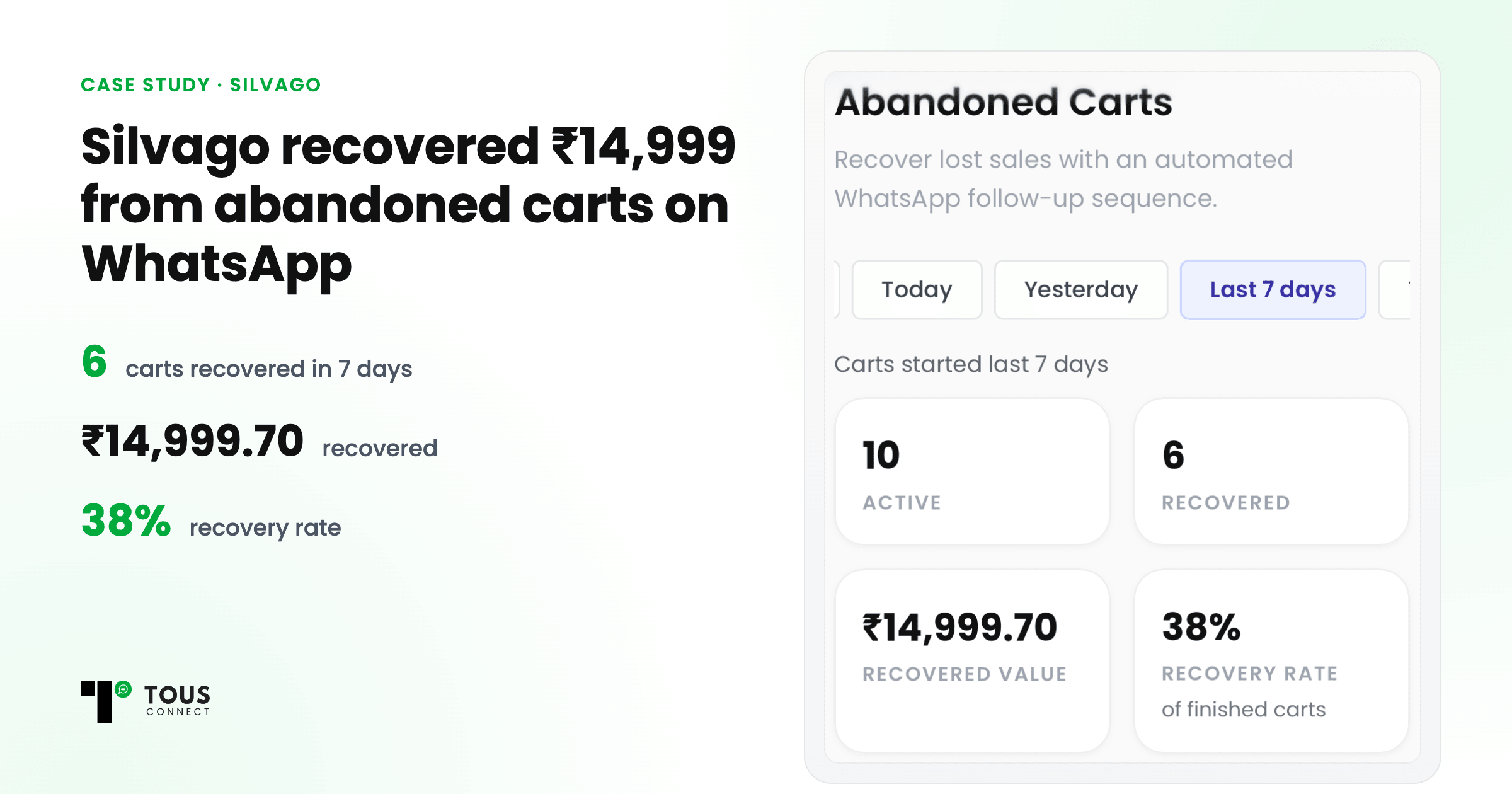
Quick answer: Silvago, a 925 silver jewellery brand, recovered 6 abandoned carts worth ₹14,999.70 in 7 days, a 38% recovery rate, by sending up to three automatic WhatsApp reminders through Tous Connect. The first reminder went out 10 minutes after the cart was left, and reminders stopped as soon as the customer ordered.
Most shoppers who reach checkout never finish. They get distracted, compare prices, or wait for payday. For a D2C brand, every one of those carts is a customer who already chose a product and then left. This is what happened when Silvago, our own jewellery brand, switched on WhatsApp cart reminders.
The results in 7 days
| What we measured | Result |
|---|---|
| Carts recovered | 6 |
| Value recovered | ₹14,999.70 |
| Recovery rate | 38% |
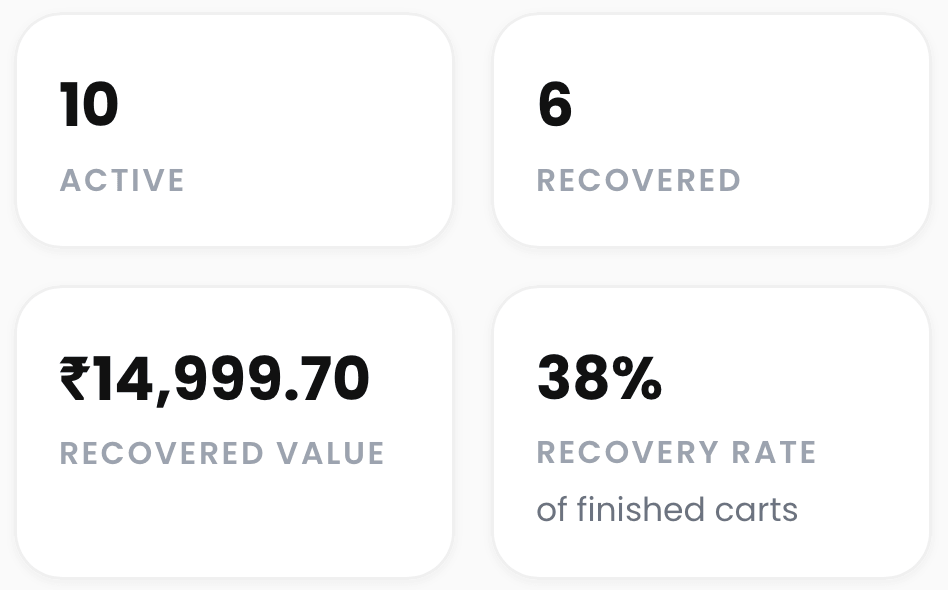
How the recovery rate is counted: recovered carts divided by finished carts. A cart is finished when the customer orders, the cart is dismissed, it expires, or all three reminders have gone out. Carts still waiting for a reminder aren't counted yet, so the rate isn't inflated.
How a recovery is counted: the same phone number places an order within 60 days of the cart. Reshipped orders after a return (RTO) are excluded, so a reship never shows up as a recovered sale.
Your numbers will differ: recovery depends on your products, prices and customers. Treat these as a reference point, not a promise.
How does WhatsApp cart recovery work?
1. Carts come straight from the checkout
Silvago uses Razorpay Magic Checkout, which replaces Shopify's own checkout. Tous Connect gives the store a private webhook address. Silvago pasted it into Razorpay's dashboard once, and from then on every abandoned checkout reached Connect within seconds.
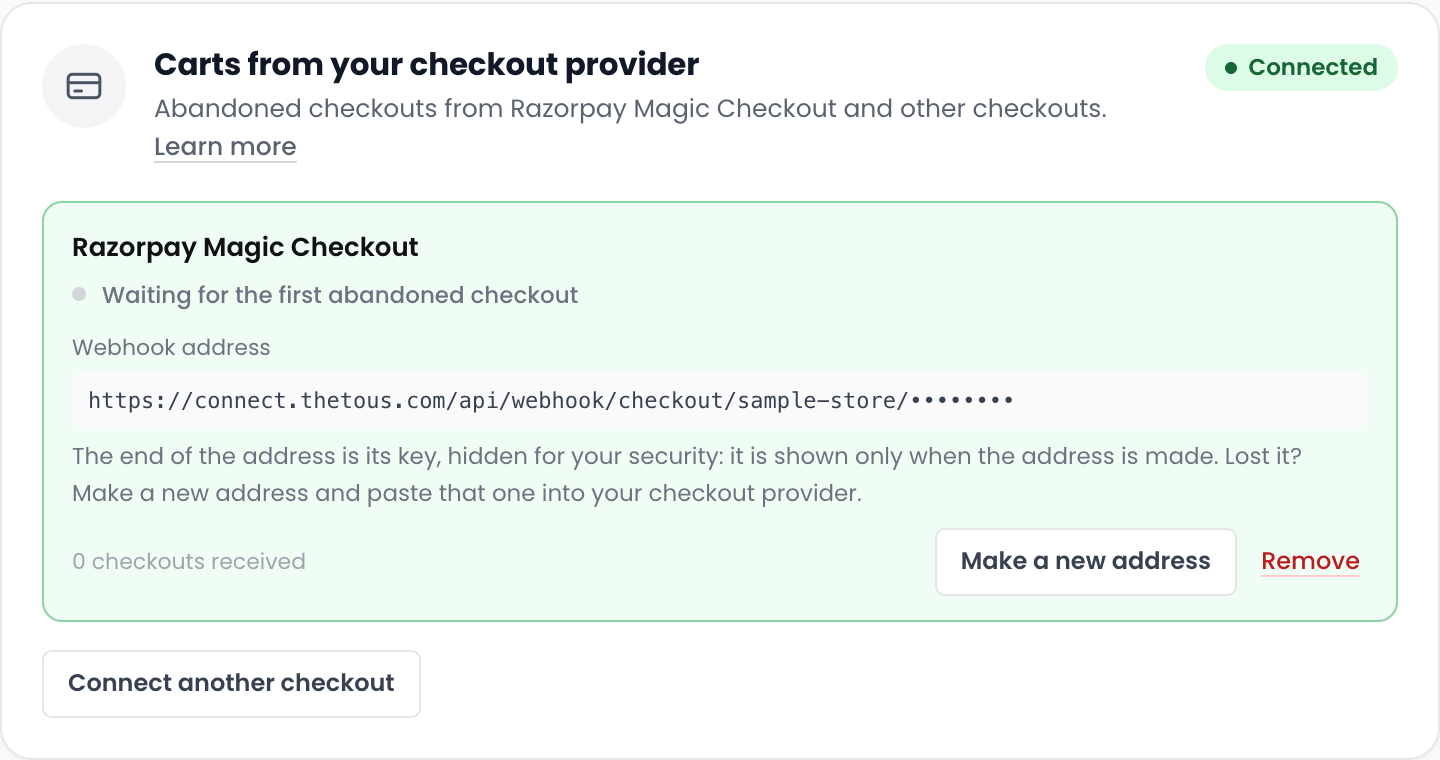
A shopper who leaves before typing a phone number can't be messaged, so Connect counts those separately instead of pretending they were reachable.
2. Up to three WhatsApp reminders, then stop
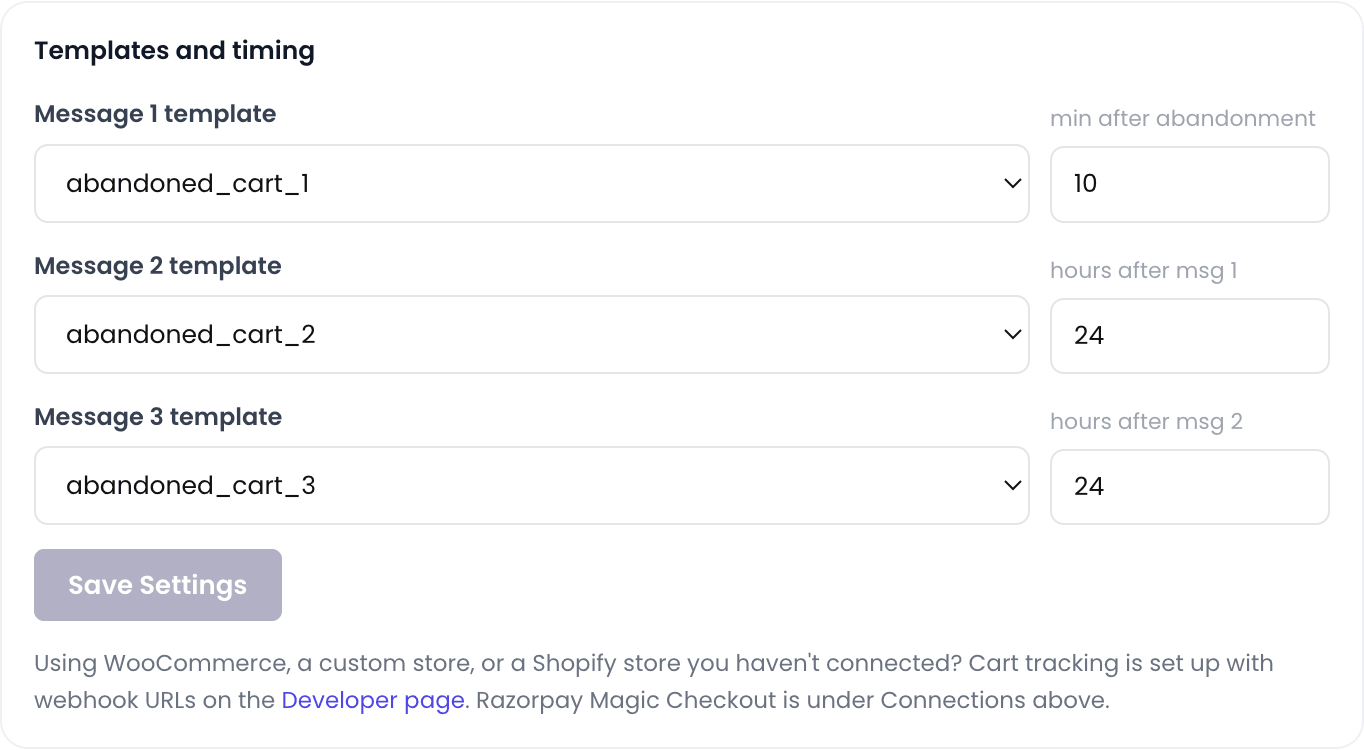
| Reminder | Recommended timing |
|---|---|
| Message 1 | 10 minutes after the cart is left |
| Message 2 | 24 hours after message 1 |
| Message 3 | 24 hours after message 2 |
Each reminder is an approved WhatsApp template with the customer's name and a link that opens their own cart, so one tap takes them back to checkout. The moment the customer orders, the reminders stop: nobody gets "complete your order" after they've paid.
During this test, Silvago spaced its reminders 12 hours apart; we now recommend 24 hours, for the reason below. On the Growth plan, brands can change the timing and templates of messages 2 and 3.
3. Every reminder is visible to the team
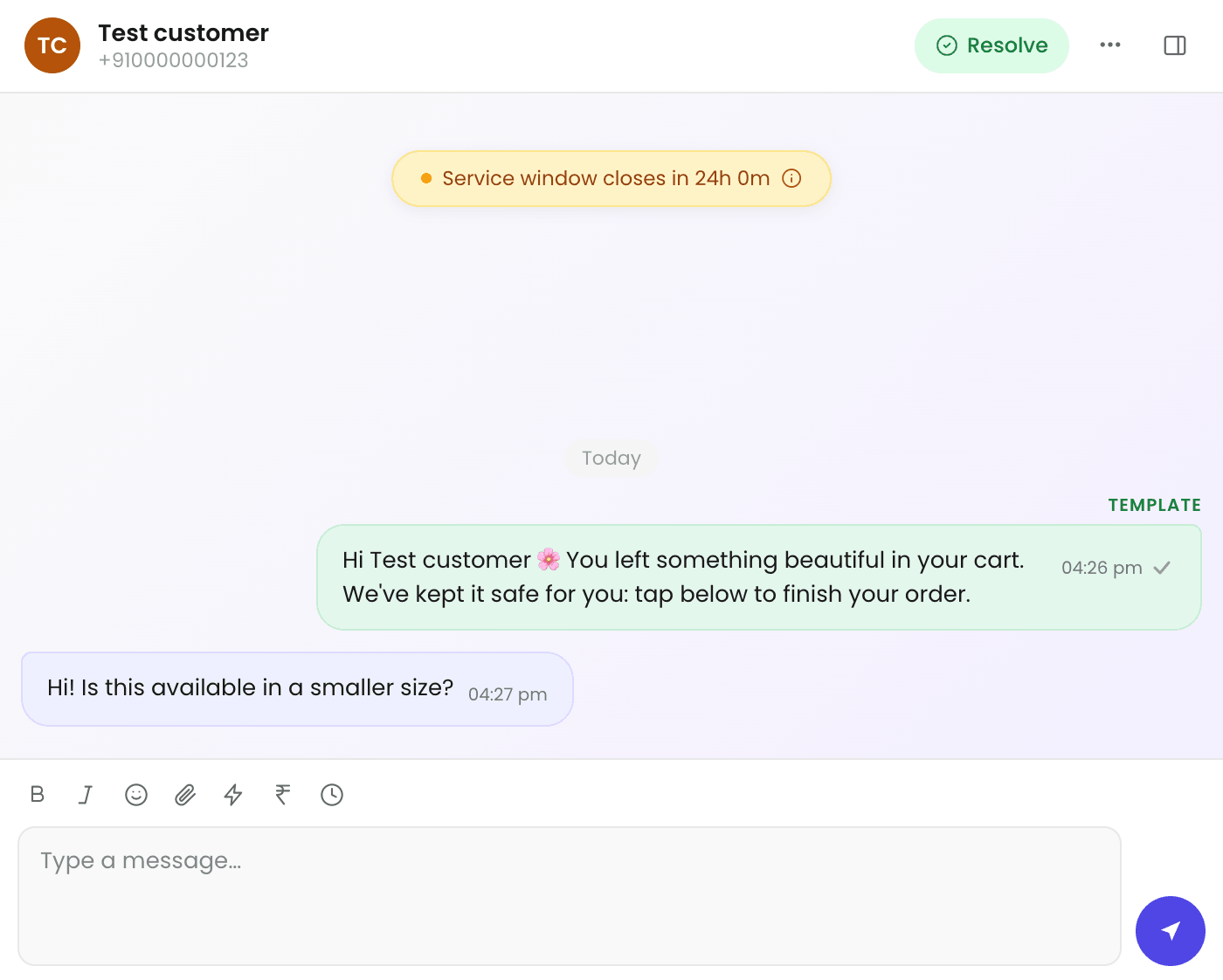
Each reminder appears in the customer's chat in the Tous Connect inbox. When a customer replies, "is this available in a smaller size?", the team sees the whole history and answers in the same thread.
What we learned
Send the first message fast
Ten minutes after leaving, the customer still remembers the product and often still has the tab open. A reminder the next morning competes with everything else on their phone.
Don't send reminders too close together
WhatsApp limits how many marketing messages one person can receive in a short time. Messages that arrive too close together get blocked with error 131049. On an earlier setup, Silvago sent the second reminder only 6 hours after the first, and about half of those second reminders (9 of 17) were blocked.
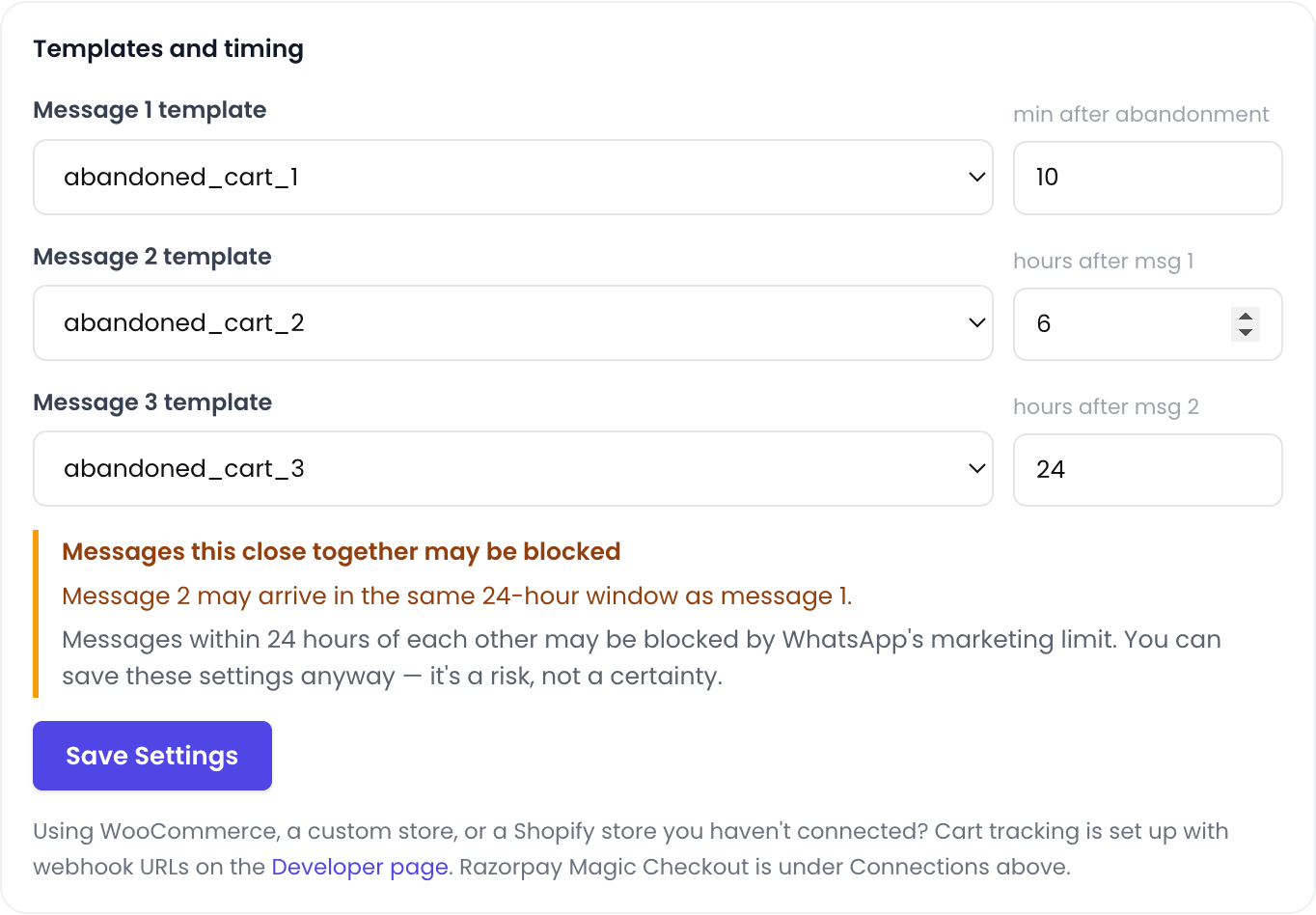
Broadcasts matter too: every marketing message counts toward the same per-person limit. A brand that broadcasts often will see more of its cart reminders blocked, so plan the two together. That's why Tous Connect warns you when two reminders are less than 24 hours apart. You can still save a shorter gap; the warning helps you choose knowingly.
Measure honestly
It's easy to make cart recovery look great: count every order as "recovered", count reships, count carts that never had a phone number. Tous Connect doesn't, because a number you can't trust can't help you decide anything.
Respect people who said no
Customers who opted out, or said no to marketing messages, never receive a marketing reminder. It protects your WhatsApp number's quality rating, and it's the right thing to do.
How to set up abandoned cart recovery on your store
- Connect your WhatsApp number to Tous Connect.
- Connect your store in Settings → E-Commerce.
- Connect your carts. If you use a checkout provider like Razorpay Magic Checkout, create a webhook address under Carts from your checkout provider and paste it into the provider's dashboard. For other checkouts, use the cart webhook on the Developer page.
- Choose your three templates under Settings → E-Commerce → Customer messages → Cart reminders → Templates and timing. Connect suggests a ready-made message if you don't have one.
- Switch on cart reminders, then watch the Abandoned Carts page: every plan shows the lists of active and recovered carts, and every paid plan from Starter also shows the summary figures (active, recovered, recovered value and recovery rate).
What does it cost?
Abandoned-cart recovery is included on the Starter plan at ₹1,199/month + GST, with the summary figures (active, recovered, recovered value and recovery rate). It isn't sold as a premium add-on. The Growth plan (₹2,499/month + GST) adds custom timing and templates for messages 2 and 3.
WhatsApp message charges are billed by Meta directly to your own WhatsApp account. Tous Connect adds zero markup on them.
Key takeaways
- WhatsApp cart reminders recovered 38% of Silvago's finished carts in 7 days.
- Send the first reminder within 10 minutes, and space the next ones about 24 hours apart.
- Broadcasts and cart reminders share WhatsApp's per-person limit, so plan them together.
- Stop reminders the moment the customer orders, and never message people who opted out.
- Count recoveries honestly: same phone number, real orders, no reships.
Want the same setup for your store? Start your 7-day free trial, no card needed.
Questions
What is abandoned cart recovery on WhatsApp?
It is an automatic WhatsApp message sent to a shopper who started checkout but didn't pay, with a link back to their own cart. Tous Connect sends up to three reminders and stops the moment the customer orders.
How many reminders should I send, and how far apart?
Three at most. Send the first about 10 minutes after the cart is left, then space the next two about 24 hours apart. Reminders sent too close together are often blocked by WhatsApp (error 131049). On the Growth plan you can change the timing and templates of messages 2 and 3.
Does it work with Razorpay Magic Checkout?
Yes. Silvago, the brand in this case study, uses Razorpay Magic Checkout. You paste one webhook address into Razorpay's dashboard once.
Will customers who opted out get reminders?
No. Customers who opted out, or said no to marketing messages, are skipped automatically.
How much does it cost?
Abandoned-cart recovery is included on the Starter plan at ₹1,199/month + GST, with the summary figures (active, recovered, recovered value and recovery rate). The Growth plan (₹2,499/month + GST) adds custom timing and templates for messages 2 and 3. WhatsApp message charges are billed by Meta directly to your own WhatsApp account; Tous Connect adds zero markup.
Is there a free trial?
Yes, 7 days, with no card needed.