For dental clinics

Your clinic already runs on WhatsApp. It just isn't organised.

Bills, appointment reminders, reports and patient messages on one number your whole clinic shares.

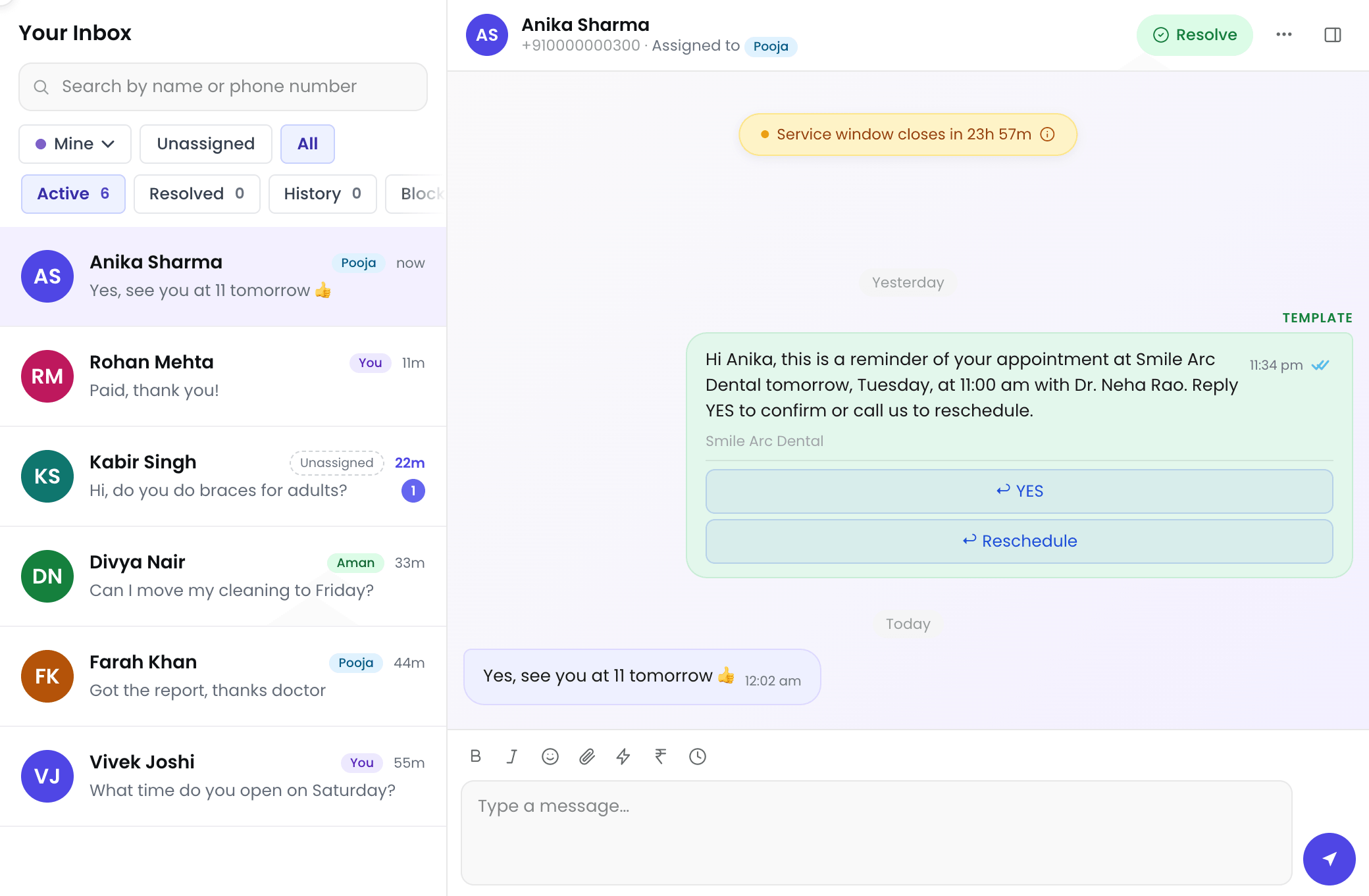
The clinic's shared inbox: patients on the left with who on the team has each one, and an appointment reminder with the patient's reply open on the right.

What this actually fixes

Not a WhatsApp problem. A “WhatsApp was never set up for a business” problem.

Reception types out every bill by hand

  • Twenty patients is twenty small jobs, and the wording changes with whoever is at the desk.
  • Bills send from a saved template, the invoice PDF attached.
  • A Pay Now button can go with the bill.
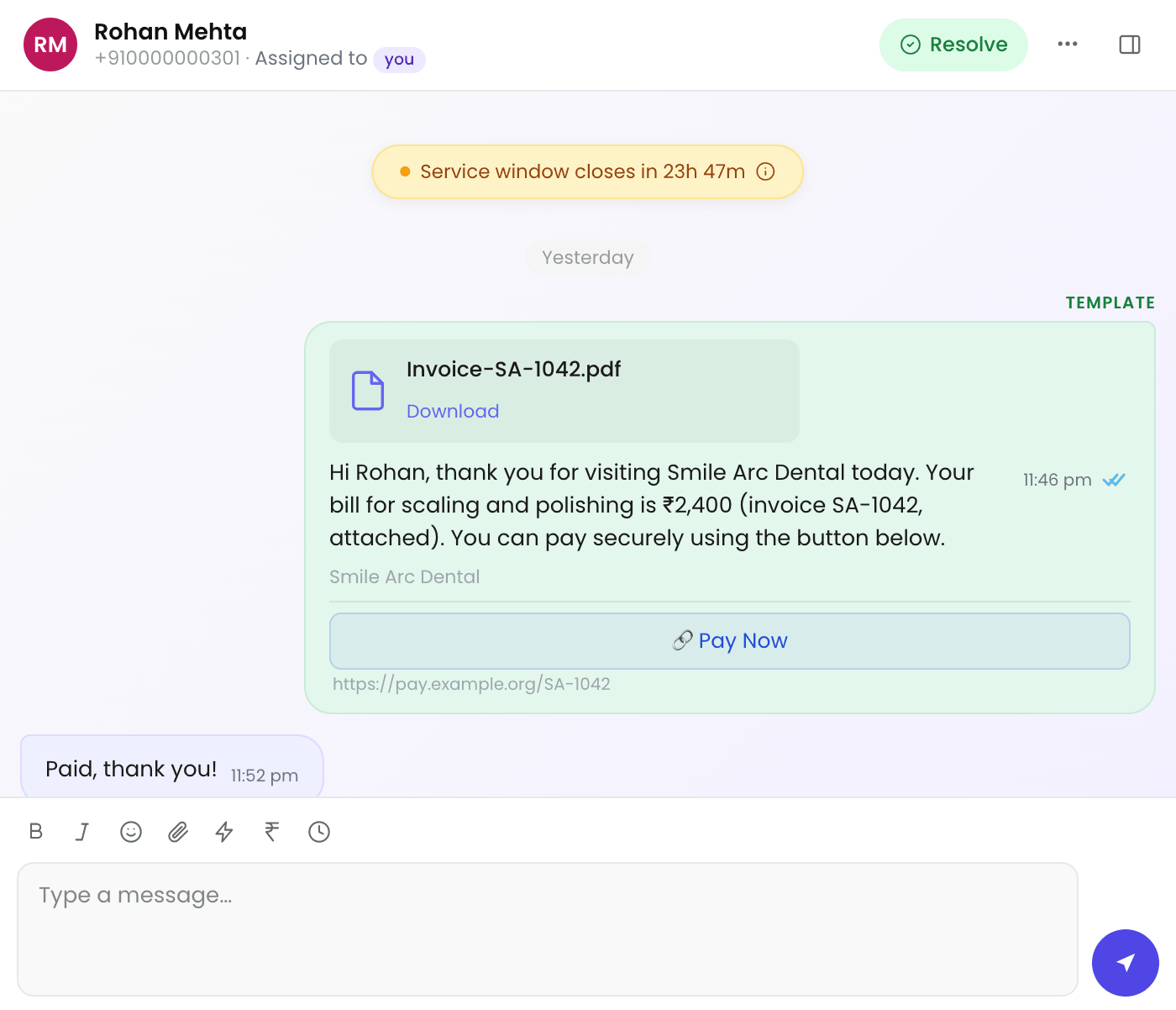
A bill sent from a template: the invoice PDF, the amount, and a Pay Now button, with the patient's reply.

Appointment reminders are phoned one by one

  • Half the calls go unanswered, the rest take minutes each, and patients still forget.
  • Tomorrow's list gets its reminders at once.
  • Patients' replies land in the clinic inbox.
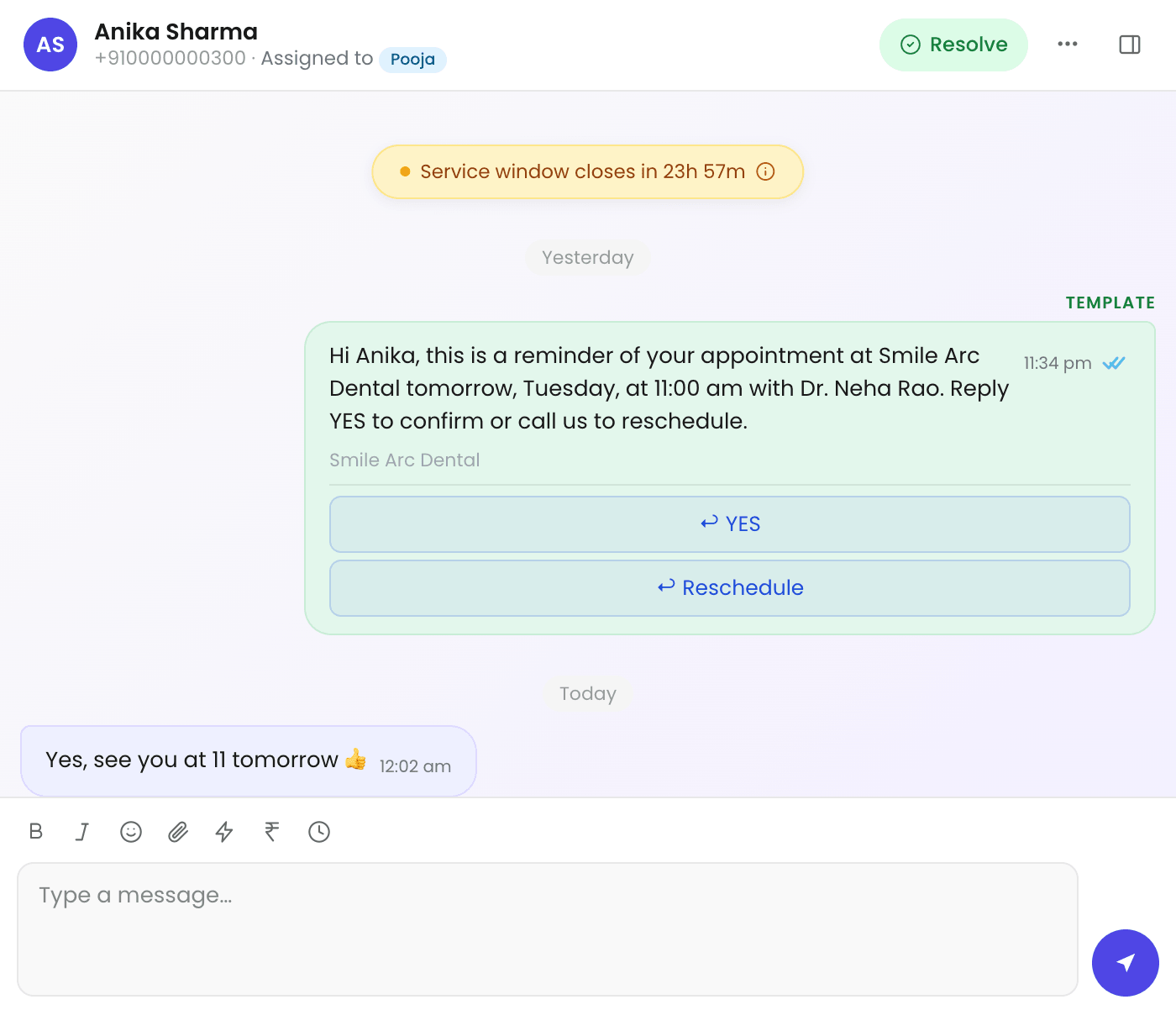
An appointment reminder with Yes and Reschedule buttons, and the patient replying to confirm.

Patient enquiries land on a personal number and get lost between shifts

  • The next person on shift has no idea the conversation happened, so the patient repeats themselves.
  • One clinic number and one shared inbox, with the full history for everyone on shift.
  • Assign a chat so two people don't reply to the same patient.

New patients hear nothing after they get in touch

  • They enquire on a Sunday, get silence, and message the clinic down the road too.
  • An automatic first reply confirms you have it and says when you will respond.
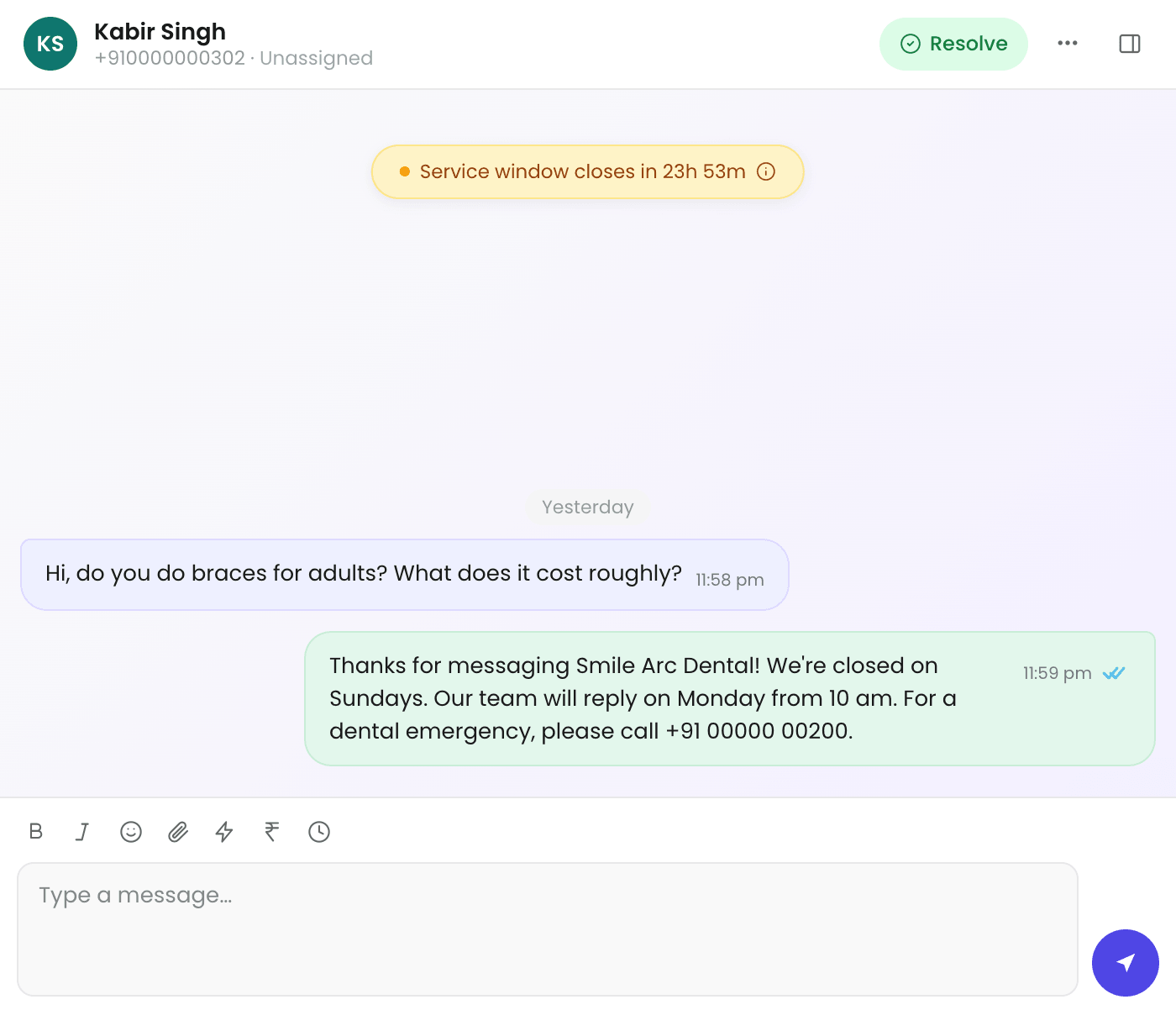
A new patient's Sunday question and the clinic's automatic first reply saying when the team will answer.

Reports and X-rays are sent manually, one file at a time

  • Easy to send the wrong file to the wrong patient when you do it forty times a week.
  • Attach it straight into the patient's own thread, where it stays on record.
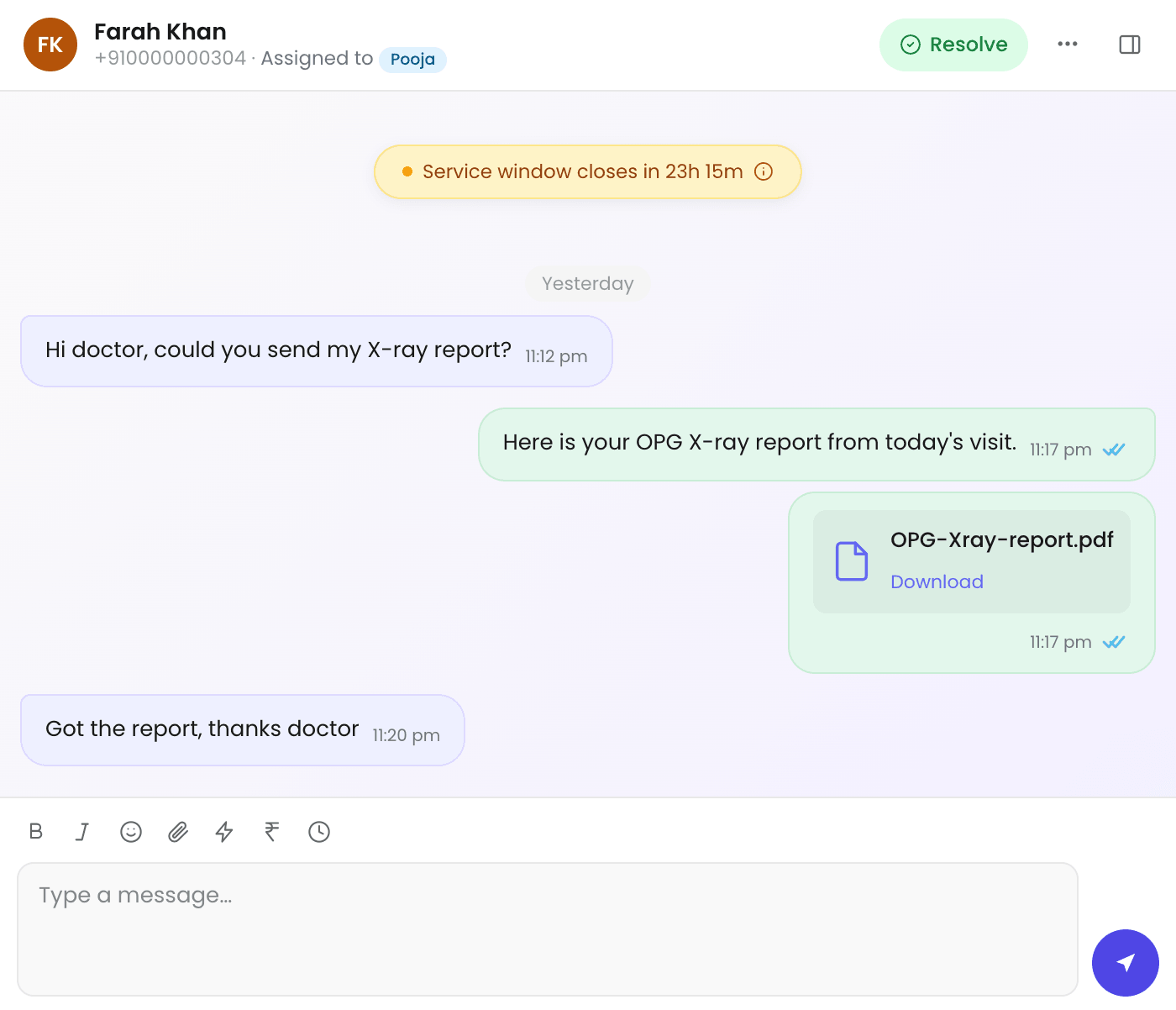
An X-ray report sent as a file in the patient's thread, and the patient's thanks.

How it works

  1. Connect your clinic number

    Your existing clinic number, or a fresh SIM that has never had WhatsApp.

  2. Set up your messages

    Save your bill and reminder wording once as templates.

  3. Bills and reminders go out

    Send them in a few clicks instead of typing or phoning each one.

  4. Your team replies from one inbox

    Everyone on shift sees the same chats and history.

Pricing

₹1,199 a month + 18% GST

  • ₹1,414.82 a month in total on Starter
  • One clinic WhatsApp number
  • 3 team members; more seats on higher plans
  • Shared inbox, templates, broadcasts for reminders and an automatic first reply
  • A free plan to start on

WhatsApp message costs are billed to you by Meta, not by us

Meta charges for message delivery at their own published rates, billed directly to you. We add nothing on top: no markup, no resale margin, no per-message fee from us. Platforms that resell WhatsApp messaging commonly do add a margin; here your message costs are simply Meta's rates.

Free plan to start. No card needed.

You will be talking to a person, not a ticket queue

Support is answered by the people who built the product, not someone reading off a script about WhatsApp's 24-hour window.

Want to speak to an existing customer before deciding? Ask, and we will arrange it.

Questions clinics ask

Do we need a new phone number?

You can use your existing clinic number if it does not currently have a personal WhatsApp account on it. If it does, that account has to be deleted first, which takes about five minutes. A fresh SIM that has never had WhatsApp on it is the easiest path.

Can more than one person use it at the same time?

Yes, and it is the main reason clinics move over. Everyone on shift works from the same inbox and sees the same history, and conversations can be assigned so two people are not replying to the same patient.

Is patient information safe?

Conversations sit in your own account, which only your team can see. We do not share data between clinics and we do not use your patient conversations for anything else.

Why can't we message a patient whenever we want?

That is a WhatsApp rule rather than ours. Once a patient messages you, you have 24 hours to reply with anything — free text, a report, an X-ray. Outside that window you can only send a template Meta has approved. Connect shows you which of the two you are in before you type.

What happens after the free plan?

You pick a paid plan or you carry on. Nothing charges automatically without you setting up billing first, and your contacts and history stay where they are.

Have a look before you decide anything

Start on the free plan and see whether it fits how your clinic actually works. If you would rather ask a question first, message us — a real answer from a real person, not a demo booking form.